We can now integrate with iSAMS via the Batch API. this needs to be configured in iSAMS.
Only schools that have an active API Services Manager subscription have the option to Create Batch API Keys
To set up Batch API Keys, follow the steps below
In the iSAMS Control Panel module, select the API Services Manager applet.
Select Manage Batch API Keys from the right hand menu.
The Manage Batch API Keys screen is displayed.
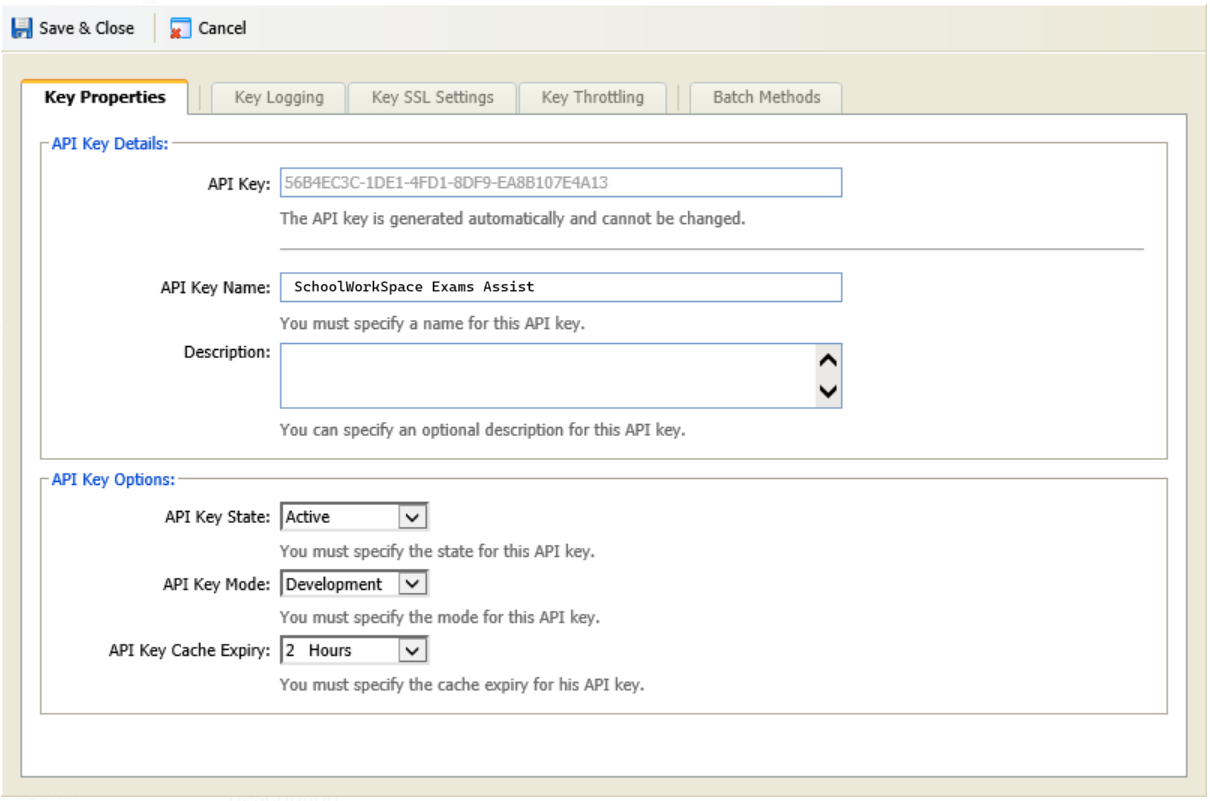
Click Create Batch API Key (or edit the SchoolworkSpace one if already created).
A popup window is displayed.
Give the API key a meaningful name e.g. SchoolWorkSpace Exams Assist and reduce the cache period down from 24 hours to 1 or 2 hours. We only fetch the data once a day or when you request a data sync so you won't want a long cache duration.
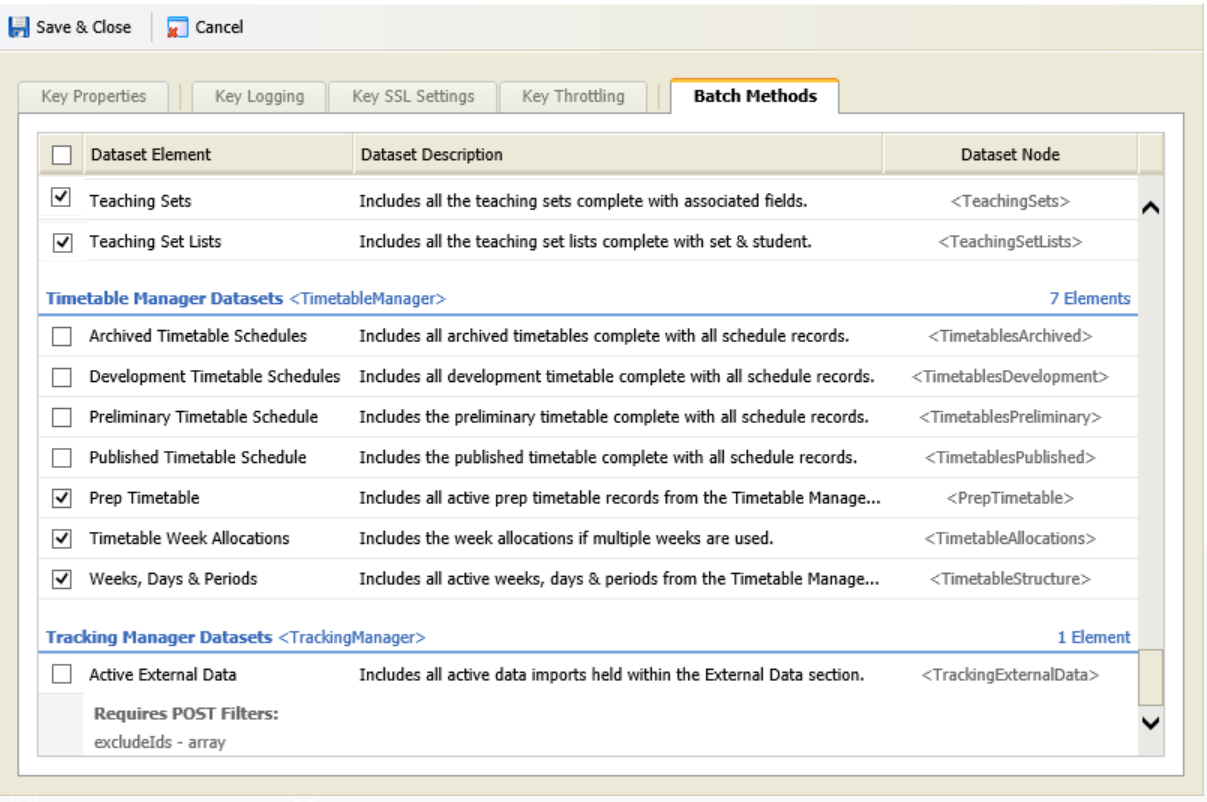
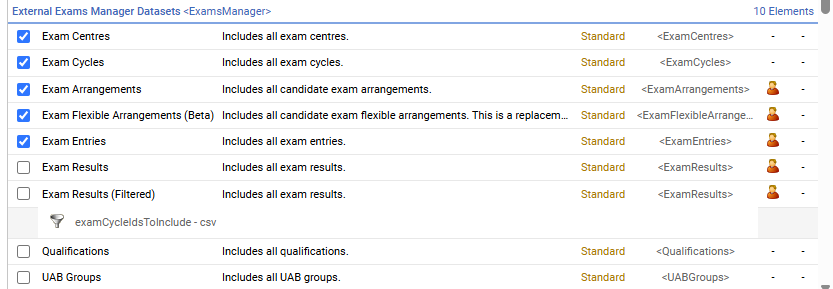
In the Batch Methods tab select Dataset Nodes
Exam Arrangements
Exam Flexible Arrangements
Exam Centres
Exam Cycles
Exam Entries
Current Staff
Photos (optional)
Contacts
Current Pupils
Photos
Dates And Times
Out Of School Pupils
Present Codes
Registration Codes
Registration Periods
Registration Status
Academic Houses
Boarding Houses
Pastoral Tutors
Forms
Divisions
Terms
Year Groups
Departments
Teaching Sets
Teaching Set Lists
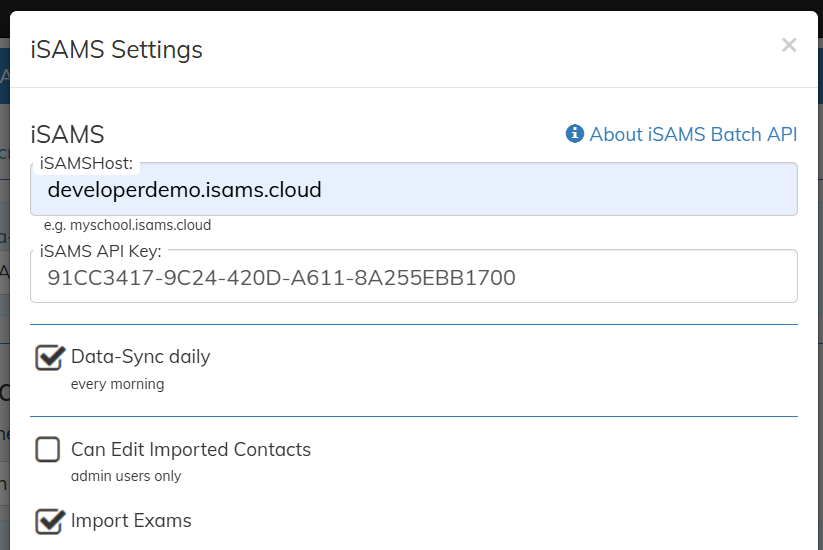
Go to School Settings then Data and click on iSAMS settings.
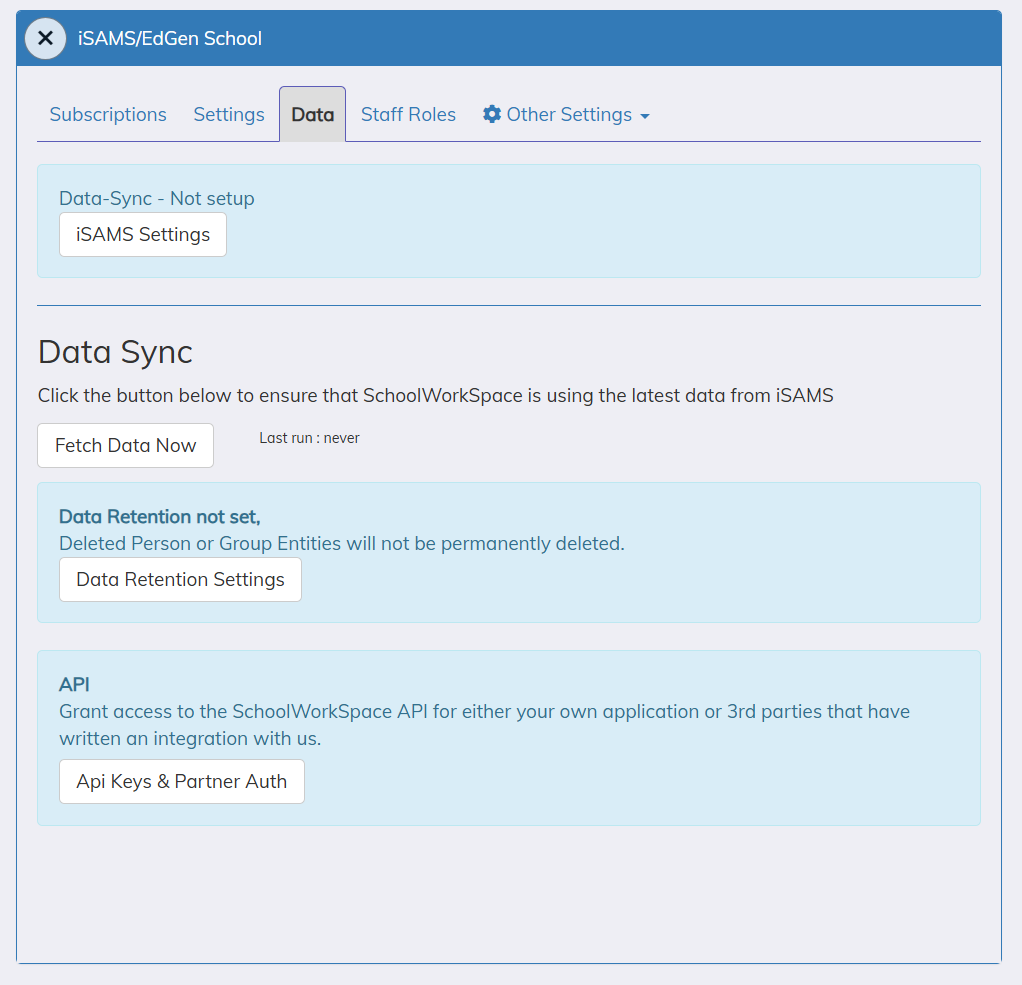
Enter the API key and iSAMS host

 Exams Assist